
Audit trail
In Audit trail appears registered all the happened events with
- Id
- Moment
- User or IP
- Category
- Details
about the event.
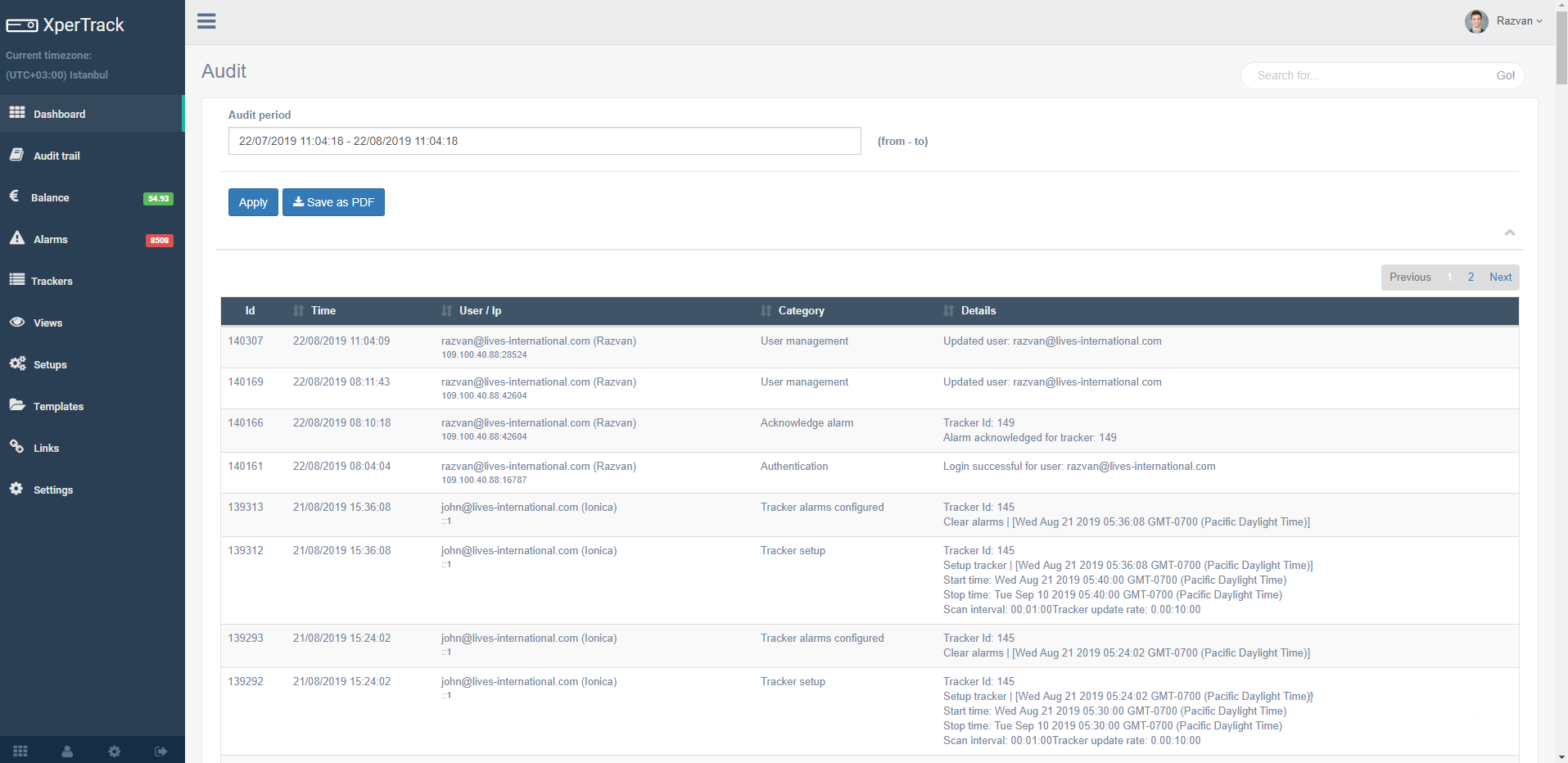
The Audit trail can be view for a period selected by the user:
Click in the box and a calendar will appear to select day, month, year, hour, minutes and seconds
Click on  button
Click on button on the page will appear only the events registered on selected period
The events can be ordered by:
- Time
- User/IP
- Category
- or Details clicking on arrows symbol
The Audit trail can be saved in Pdf format by clicking on the  button